📊 Status Dashboard
Asteri features a built-in, native monitoring dashboard that provides real-time insights into your server's health, worker performance, and traffic patterns. This eliminatest the need for external monitoring agents in smaller deployments.
Accessing the Dashboard
The dashboard is integrated into the core server and accessible via a dedicated HTTP endpoint.
- Endpoint:
/asteri-status - Default URL:
http://localhost:8000/asteri-status
⚙️ Disabling the Dashboard
If you prefer to hide or disable the monitoring dashboard completely in production, you can pass the --disable-dashboard flag to the CLI, or set disable_dashboard = True in your python configuration file.
🌪️ Zero-Configuration Tornado Integration
For standard worker classes (sync, gthread, asgi, gevent), the status dashboard is served directly at the socket level. For tornado and gtornado workers, Asteri natively wraps the WSGI application with a high-performance TornadoDashboardMiddleware behind the scenes, intercepting /asteri-status and system logs automatically without requiring the developer to add any routing logic to their codebase.
🔒 Security Note
In production, it is highly recommended to protect this endpoint using Nginx auth_basic or by restricting access to internal IP addresses to prevent unauthorized access to server metrics.
Key Metrics & Features
👷 Worker Statistics
- Uptime: Monitor how long each worker process has been running.
- Request Count: Total requests handled by each worker since its creation.
- Memory Usage: Real-time RSS memory consumption per process.
- Worker Status: Visual indicators for
IDLE,BUSY, andRESTARTINGstates.
🌡️ System Health
- Master Process: Resource consumption of the main arbiter process.
- CPU Load: Real-time CPU usage percentages.
- Worker Recycling: Information on upcoming worker restarts based on
max-requests.
🎨 Modern Interface
- Glassmorphism UI: A clean, semi-transparent design that is easy on the eyes.
- Mobile Responsive: Monitor your server from any device.
- Dark/Light Modes: Automatic detection based on system preferences.
- Internationalization: Full support for English and Indonesian.
Screenshot Preview
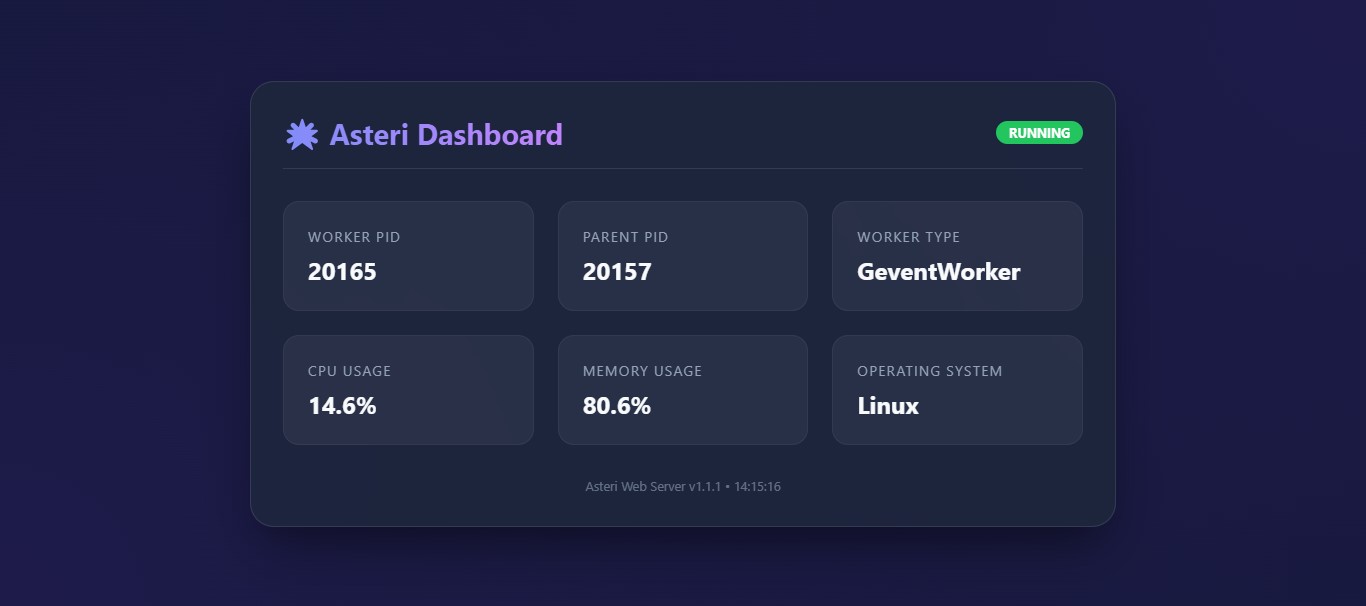 Figure 1: The Asteri Status Dashboard showing active workers and system metrics.